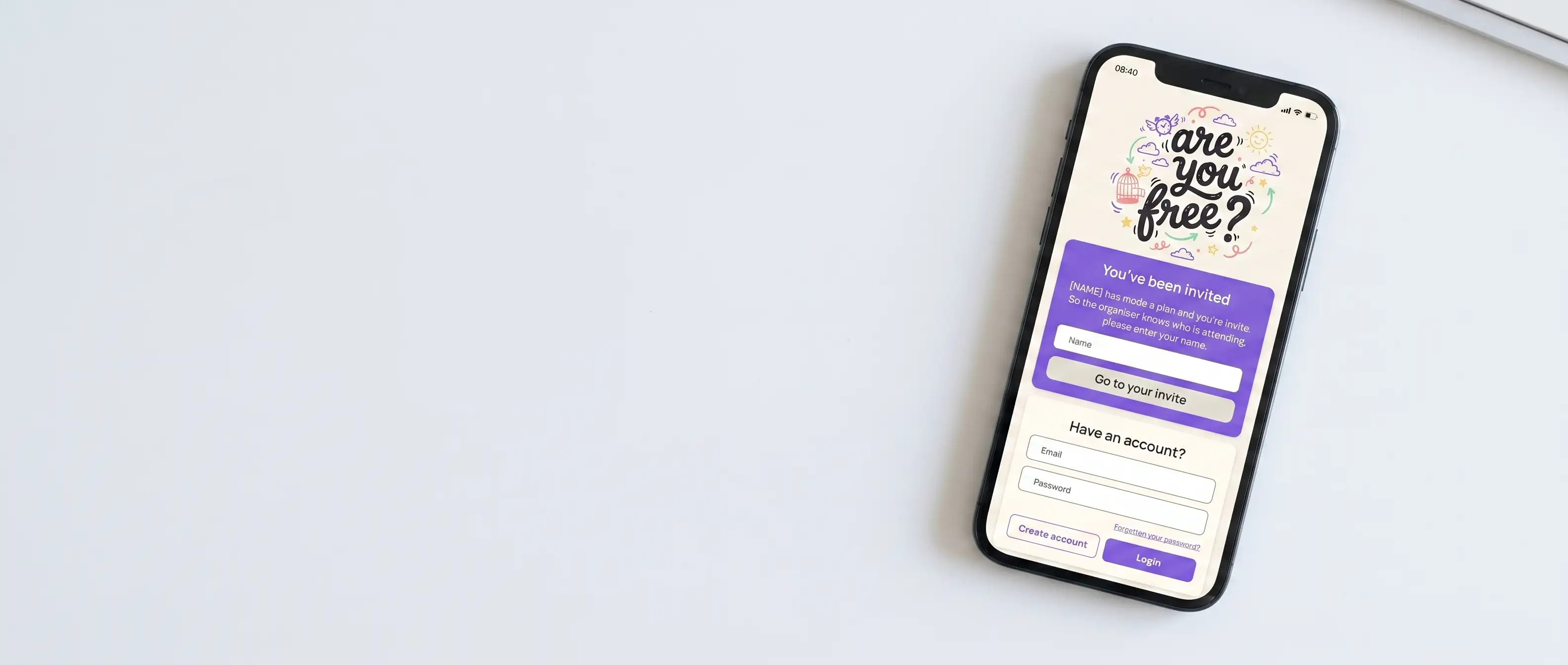
The Problem
Group chats were never built for organising.
WhatsApp and its alternatives are great for casual conversation, but the moment someone tries to organise an actual event, the thread falls apart. Responses are scattered, key details get buried, and it's impossible to know who's actually coming.
Existing tools either require everyone to sign up (killing momentum) or feel clinical and corporate, built for scheduling a call, not a Saturday night out.
"It shouldn't feel like booking a dentist appointment to organise a birthday dinner."
Research
Three perspectives on the same frustration.
Using simulated persona research, three distinct user types were explored to identify recurring pain points across different social and professional contexts.
Maya, 26
Marketing professional
Often the one organising group trips. Frustrated by chasing replies and re-sending details that got buried in the thread.
James, 31
Project manager
Appreciates structure but resists tools that feel like work. Wants clarity without the overhead of a shared calendar.
Priya, 24
Postgraduate student
Frequently invited to plans she has to dig through chats to find. Wants to respond quickly without signing up for anything.
Common themes
Across all three personas, four recurring problems emerged: information burial in long threads, slow and inconsistent responses, soft commitments that evaporate closer to the date, and friction introduced by apps requiring registration.
Design Principles
Three rules to design by.
- 01 No signup required. Guests should be able to respond to a plan via a shared link, no account, no friction.
- 02 Feel like a friend, not a scheduler. The tone, language, and visual design should be warm and casual throughout.
- 03 Firm answers over vague ones. The RSVP system actively encourages yes/no decisions rather than soft maybes.
Solution
Two roles. One shared link.
The product is built around two distinct user types:
Organiser
Creates a plan with a title, date, location, optional payment split, and event details. Shares a unique link with invitees. Can preview the guest experience before sending and track responses in real time.
Participant
Receives the link, views the full plan details, and responds with a clear yes, no, or maybe. No account required. Can update their response at any time before the event.
The no-signup model was the most important product decision. It removes the biggest drop-off point entirely.
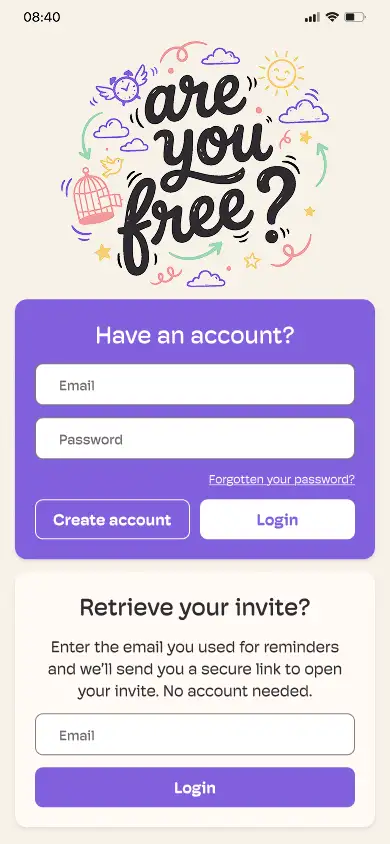
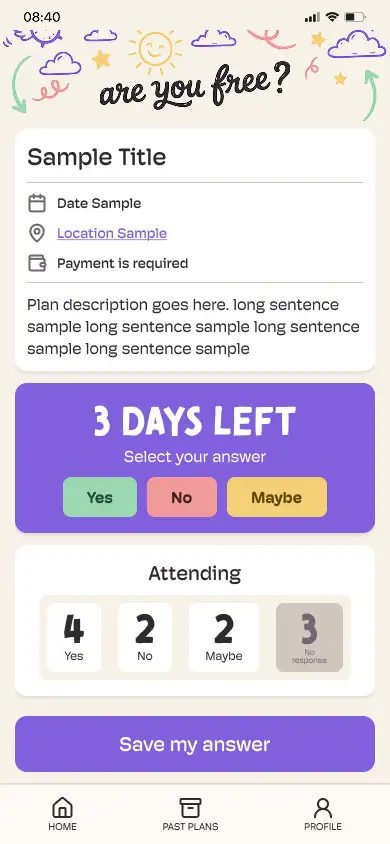
Organiser view (left) · Participant view (right)
Visual Direction
Casual, friendly, playful.
The visual language deliberately avoids anything corporate. An illustrated badge logo with a hand-drawn wordmark establishes the tone, somewhere between a phone sticker and a stamp.
 Badge
Badge
 Wordmark
 Icon
Icon
Colour
Anchored by a soft purple primary, supported by familiar RSVP colours (green, red, yellow) that tap into existing mental models without over-explaining the interface.
Typography
Brush Tomarik - Display
Are You Free?
Hoss Round - UI & Body
Saturday, 7pm
at The Refinery
Design System
Built for consistency at scale.
A full component library was built in Figma covering every state and pattern needed across the product, from onboarding to the plan detail view.
Wireframes
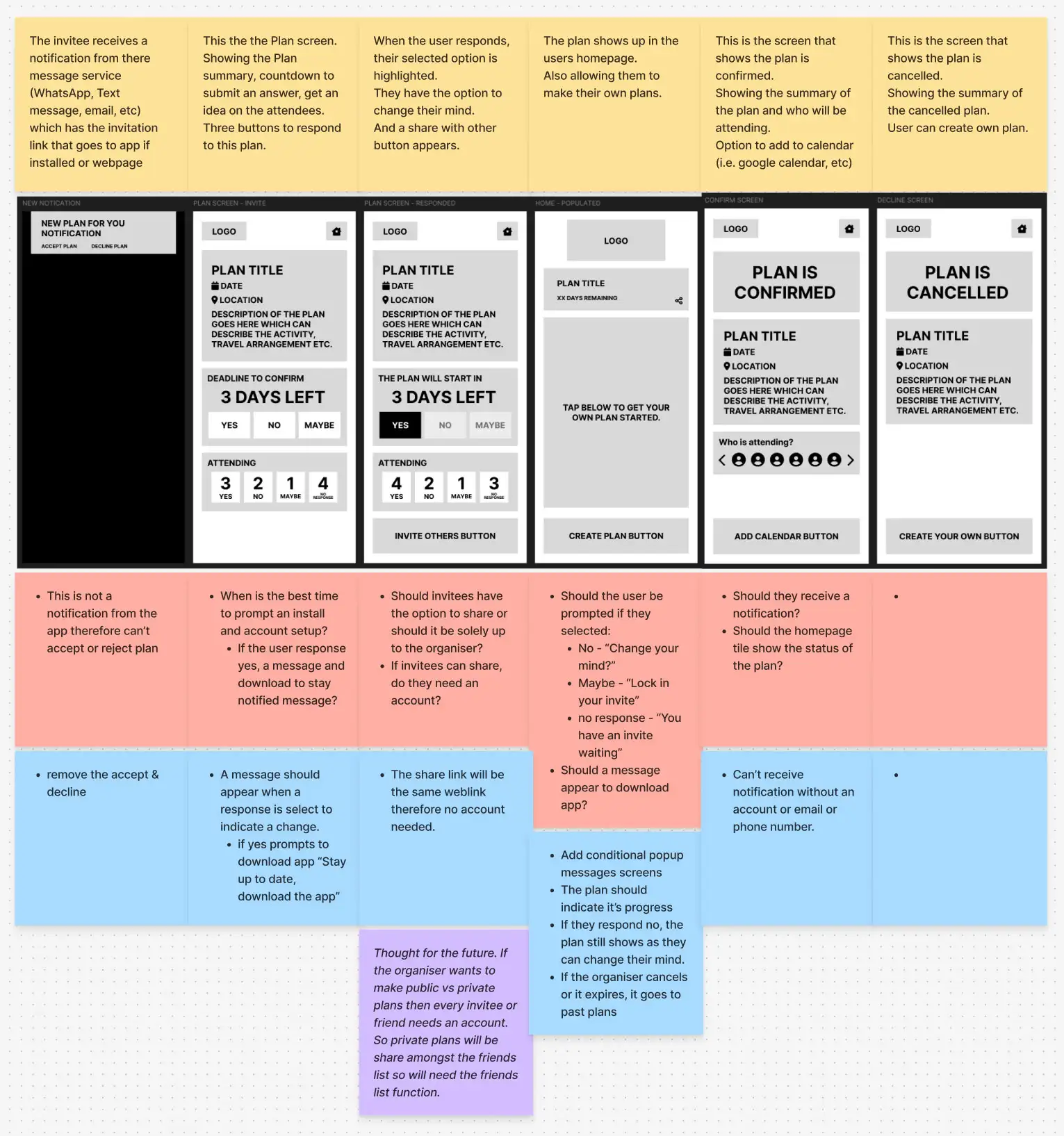
Early organiser and participant flow wireframes
Hi-fi screens
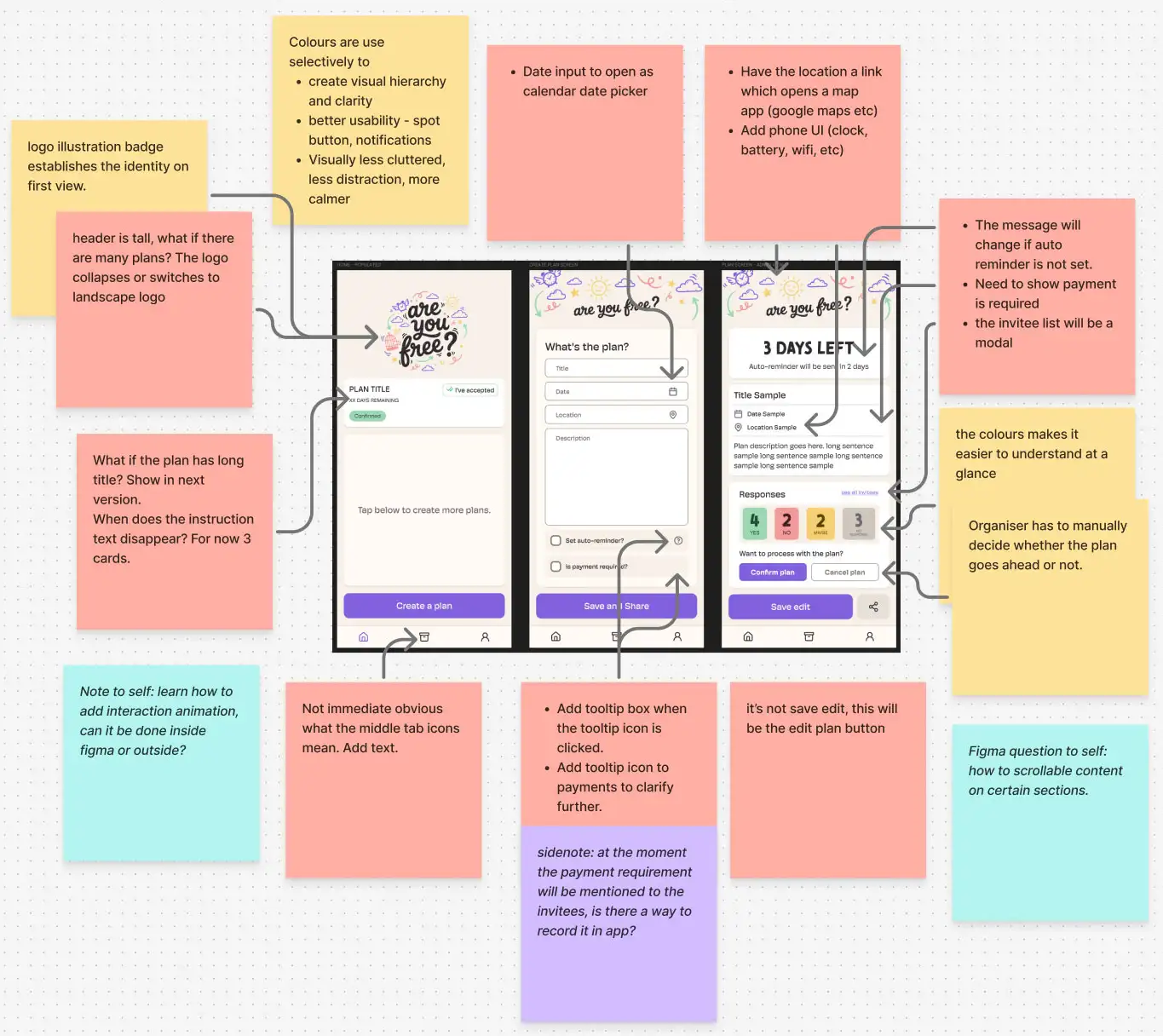
Hi-fidelity iteration — plan creation and RSVP views
Component library
Buttons, form fields, RSVP options, cards, status tags, navigation, modals, sharing patterns, calendar views, and attendee displays, all built with variants and auto-layout for responsive behaviour.
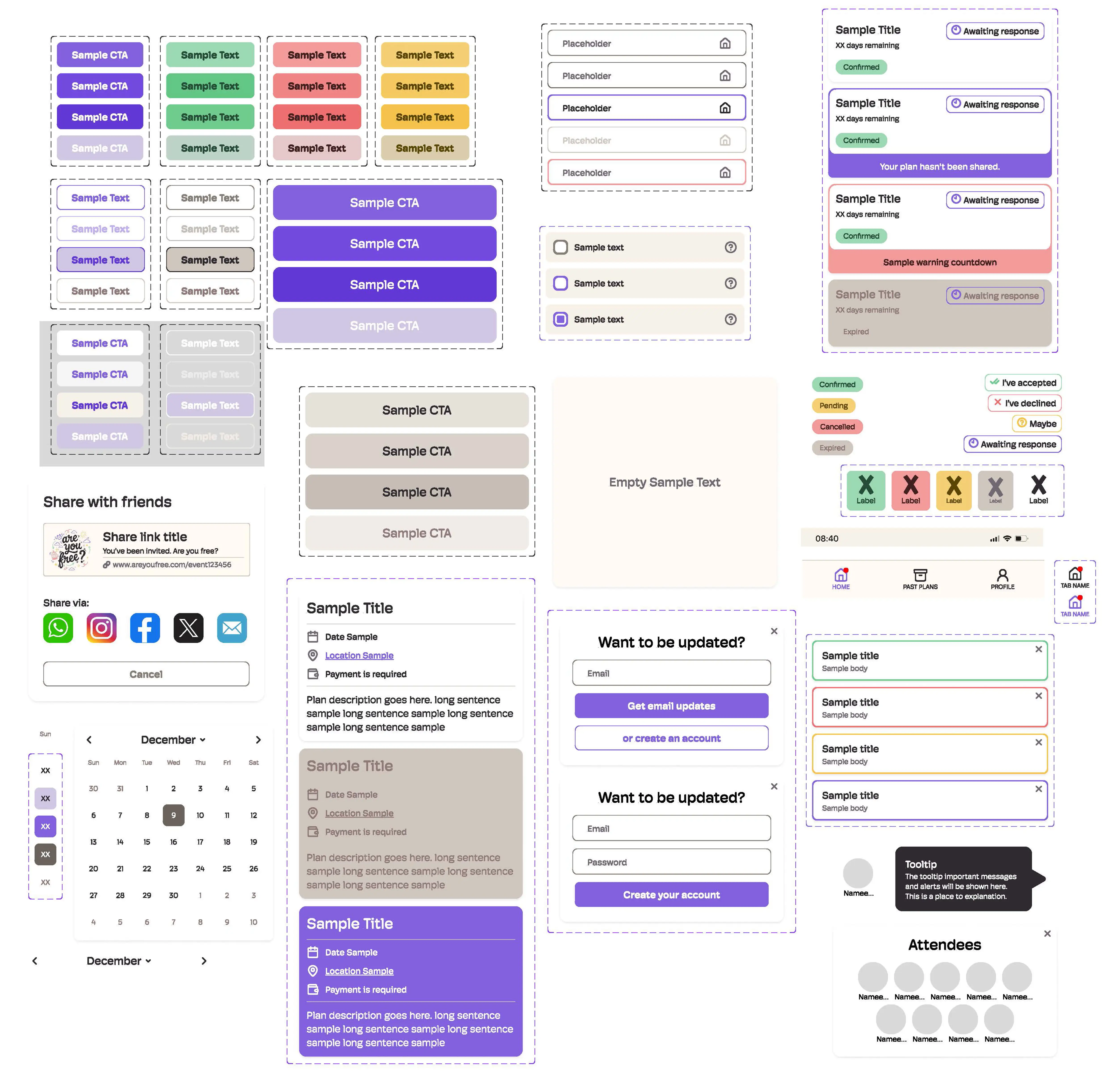
Full component library built in Figma
System Thinking
Keeping guests engaged without requiring accounts.
The no-signup model introduces a challenge: how do you notify guests about plan changes or reminders if you don't have an account to send to?
Several notification patterns were explored across both in-app and link-based delivery models: new invite notifications, update alerts, RSVP confirmations, event reminders, and organiser nudges.
The working solution routes all guest communication through the original shared link, with optional email capture at the point of RSVP for guests who want reminders.
Reflection
Simple on the surface, complex underneath.
"Making something feel simple and casual still requires a lot of system thinking underneath."
The biggest growth from this project was in Figma, building a proper component system with variants, auto-layout, and consistent naming conventions rather than designing screen-by-screen.
The persona research, while simulated, was genuinely useful for stress-testing assumptions, particularly around the no-signup model, where the benefit to participants outweighs the cost of less persistent data.
What's Next
Three directions for future development.
- Payment tracking for group bookings, splitting deposits or shared costs without leaving the app.
- Availability calendar, letting the organiser propose multiple dates and letting guests mark which works for them.
- Activity polling, the group votes on what to do, not just when to meet.
Longer term, there's potential for business partnerships with venues or experience providers offering group packages directly through the platform.